Search :

Google
 

Thursday, May 10, 2007

Nvidia takes GeForce 8M laptop GPUs on the road

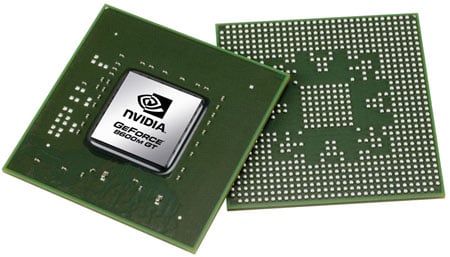
Nvidia has rolled out a whopping 15 laptop-centric GPUs most, but not all, based on the chip maker's eighth-generation architecture and stretching from AMD-oriented budget systems through to Intel- and AMD-based high-end rigs. The key parts are the GeForce 8400M G, GS and GT, and the 8600M GS and GT. Moving along the line, the chips contain eight, 16, 16, 16 and 32 unified shader units, respectively. The cores are each clocked at 400, 400, 450, 600 and 475MHz

The 8400Ms connect to up to 256MB of memory across a 64-bit bus, the 8600Ms to 512MB of VRAM across a 128-bit bus. The five chips' memory clocks are set to 600, 600, 600, 700 and 700MHz, respectively. Nvidia said it was aiming the 8600Ms at the performance market segment and the 8400Ms at mainstream notebooks. That leaves a gap at the top, that might logically be filled by a GeForce 8800M chip, but the company wouldn't be drawn on its plans to fill that niche. Today also saw the debut of a quartet of Quadro NVS chips, all aimed at graphics cards destined to be installed in business-oriented systems: the 130M, 135M, 140M and 320M. They're based on the same core as the 8400M and 8600M chips, as are the three new mobile workstation chips: the Quadro FX 360M, 570M and 1600M. The Quadro FX 1600M, available with up to 512MB GDDR 3 memory, and the Quadro FX 570M, offering up to 256MB GDDR 3 memory, feature a 128-bit memory interface, support for OpenGL 2.1 and DirectX 10, and adaptive power management tools. The Quadro FX 360M, designed for thin and light, entry-level mobile workstations, offers similar features as the other 8M-class GPUs, with up to 256MB GDDR 3 memory and a 64-bit memory interface. The GeForce 8M series builds on the old GeForce Go 7 series - you'll note that Nvidia had dropped the 'Go' this time round - with its DirectX 10-friendly unified shader architecture and an improved video processing engine. The new core, like its predecessor, contains a standalone display processor unit, but it also incorporates an AES128 encryption engine and a bitstream processor to allow more stages of the HD content decoding process to be handled by the GPU.

Toshiba Qosmio G40
Indeed, Nvidia claimed the 8M chips can do H.264 video decoding largely without bothering the host CPU, knocking the CPU utilisation for the process down from around 60 per cent in the 7 series to around 20 per cent. The upshot: system power consumption is reduced, boosting battery life. Nvidia said the 8M series consumes no more power than the 7 series but delivers twice the performance. The reduced CPU utilisation - once supported by applications, of course - allows even HD DVD and Blu-ray Disc playback to be handled by lower-end systems, even single-core CPUs, than is the case today. Nvidia said it expects the 8M series and the new Quadro parts to find homes in the latest Centrino Duo and Centrino Pro laptops due to arrive over the coming months. However, it also launched three single-chip integrated chipsets today, all of them aimed at AMD-based notebooks. Branded the GeForce 7000M, 7150M and 7190M, the GPUs are integrated into a single package that also contains, respectively, the nForce 610M, 630M and 640M southbridges.

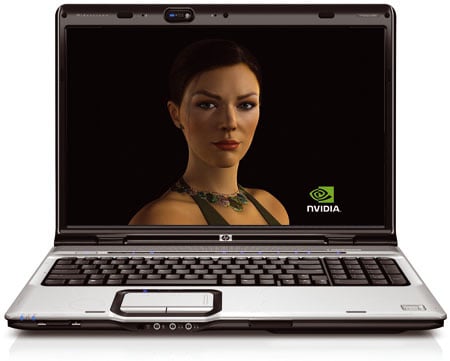
HP Pavilion dv9000
Toshiba and HP are among the first notebook vendors to announce laptops fitted with the members of the 8400M and 8600M series. HP launched the Pavilion dv2000, dv6000 and dv9000, while Toshiba unveiled the Qosmio G40.
Ref:http://www.reghardware.co.uk/

Monday, May 7, 2007

Web 3.0 debates

There is considerable debate as to what the term Web 3.0 means, and what a suitable definition might be.

Transforming the Web into a database
The first step towards a "Web 3.0" is the emergence of "The Data Web" as structured data records are published to the Web in reusable and remotely queryable formats, such as XML, RDF and microformats. The recent growth of SPARQL technology provides a standardized query language and API for searching across distributed RDF databases on the Web. The Data Web enables a new level of data integration and application interoperability, making data as openly accessible and linkable as Web pages. The Data Web is the first step on the path towards the full Semantic Web. In the Data Web phase, the focus is principally on making structured data available using RDF. The full Semantic Web stage will widen the scope such that both structured data and even what is traditionally thought of as unstructured or semi-structured content (such as Web pages, documents, etc.) will be widely available in RDF and OWL semantic formats.
An evolutionary path to artificial intelligence
Web 3.0 has also been used to describe an evolutionary path for the Web that leads to artificial intelligence that can reason about the Web in a quasi-human fashion. Some skeptics regard this as an unobtainable vision. However, companies such as IBM and Google are implementing new technologies that are yielding surprising information such as making predictions of hit songs from mining information on college music Web sites. There is also debate over whether the driving force behind Web 3.0 will be intelligent systems, or whether intelligence will emerge in a more organic fashion, from systems of intelligent people, such as via collaborative filtering services like del.icio.us, Flickr and Digg that extract meaning and order from the existing Web and how people interact with it.
The realisation of the Semantic Web and SOA
Related to the artificial intelligence direction, Web 3.0 could be the realization and extension of the Semantic web concept. Academic research is being conducted to develop software for reasoning, based on description logic and intelligent agents. Such applications can perform logical reasoning operations using sets of rules that express logical relationships between concepts and data on the Web.[6]
Sramana Mitra differs on the viewpoint that Semantic Web would be the essence of the next generation of the Internet and proposes a formula to encapsulate Web 3.0. '

Web 3.0 has also been linked to a possible convergence of Service-oriented architecture and the Semantic web.

Evolution towards 3D
Another possible path for Web 3.0 is towards the 3 dimensional vision championed by the Web3D Consortium. This would involve the Web transforming into a series of 3D spaces and virtual environments, taking the concept realised by Second Life further.This could open up new ways to connect and collaborate using 3D shared spaces

Proposed expanded definition
Nova Spivack has proposed expanding the definition of Web 3.0 to include the convergence of several major complementary technology trends that are reaching new levels of maturity simultaneously including:
Ubiquitous Connectivity, broadband adoption, mobile Internet access and mobile devices
Network computing, software-as-a-service business models, Web services interoperability, distributed computing, grid computing and cloud computing
Open technologies, Open APIs and protocols, open data formats, open-source software platforms and open data (e.g. Creative Commons, Open Data License)
Open identity, OpenID, open reputation, roaming portable identity and personal data
The intelligent web, Semantic web technologies such as RDF, OWL, SWRL, SPARQL, Semantic application platforms, and statement-based datastores
Distributed databases, the "World Wide Database" (enabled by Semantic Web technologies)
Intelligent applications, natural language processing, machine learning, machine reasoning, autonomous agents.

Candidate Web 3.0 technologies
Artificial intelligence
Automated reasoning
Cognitive architecture
Composite applications
Distributed computing
Knowledge representation
Ontology (computer science)
Recombinant text
Scalable vector graphics
Semantic Web
Semantic Wiki
Software agents

See also
Semantic Web
Composite applications
Internet
Service-oriented architecture
Web 2.0
Web operating system
World Wide Web

Reference : wikipedia

Sunday, May 6, 2007

Web Hosting

What is a Web Host?
A web host stores the web site you create on their servers and transmits it to the internet so that when someone types in your domain name, your web site appears. A server is just a fancy computer that "serves up" your web site to the internet.


How to Choose a Good Web Host
Again, I can't stress how important it is that you choose a good web host. But, let's face it - how do you know if a web host is good or not? They all look pretty much the same and they seem like they know what they are doing, right? Well, there is one thing you can check on before you sign up and luckily it's one of the most important things.
When you choose a web host, make sure they have excellent support. If you have a problem with your web site you want help now, not in a day or two.
Personally, I refuse to choose a web host that I can't get on the phone in an emergency. Some web hosts are sneaky and they put a phone number on their web site, but it's just for show. They don't always answer or they advertise 24/7 support but are actually only around Monday-Friday. When I first started out, my site went down on a Friday afternoon and I called ALL weekend and all I got was hold music. They put me on hold, but no one was there! Needless to say that was it for that web host.
So, how can you tell how responsive the web host you are considering actually is? You test them. If they have a phone number (and they should) call them late at night or on weekends to see if they are really there.
Also, send an e-mail to their support e-mail address (not their sales e-mail) and ask them a basic question like "How many e-mail addresses am I allowed?" or "Is there a limit on the number of autoresponders I'm allowed?" and see how long it takes them to get back to you. For a non-emergency email like that I think up to 12 hours is acceptable. If you send the e-mail on Saturday and they don't get back to you until Monday, that isn't good. If they take more than 12 hours and either don't have phone support or aren't answering, choose another web host.


Web Host Do's and Don'ts
Once you choose a web host, then you will have to decide what plan you want. Most web hosts offer you several different plans and obviously want you to buy the more expensive one.
1. Do get the least expensive plan. Most people buy the larger plans because they aren't sure how much space they need and the space in the smaller plans just doesn't sound like much. 10 mb is plenty for most first web sites. If you want to be sure, then choose a plan around 50 mb. 50 mb is a HUGE amount of space. If you get that you will be fine.
2. Don't transfer control of your domain name to a web host. Always keep your domain name with your domain registrar. Let me repeat that - always keep your domain name with your domain registrar. Yes, it's that important. If you are unhappy with your web host's service and want to go to another web host, you will need to get them to release your name to the new host. They have no incentive to do this. Some web hosts, not all, have been known to drag their feet and take weeks to release a name.

Another reason not to transfer control to someone else is that if you do, it almost always will end up costing you more. Web hosts make their money through domain name renewals. Some charge as much as $70 for this.
3. Don't get caught up in what the various hosts offer like PHP, MySQL and a bunch of other stuff like that. If you don't know what those things are you don't need them.

Saturday, May 5, 2007

Silverlight


Silverlight :What is Silverlight?
Microsoft Silverlight is a cross-browser, cross-platform plug-in for delivering the next generation of .NET-based media experiences and rich interactive applications for the Web. Silverlight offers a flexible and consistent programming model that supports AJAX, Python, Ruby, and .NET languages such as Visual Basic and C#, and integrates with existing Web applications. Silverlight media capabilities include fast, cost-effective delivery of high-quality audio and video to all major browsers including Firefox, Safari, and Internet Explorer running on Mac or Windows. By using Expression Studio and Visual Studio, designers and developers can collaborate more effectively using the skills they have today to light up the Web of tomorrow.
Silverlight:Compelling Cross-Platform User Experiences
Deliver media experiences and rich interactive applications (RIA) for the Web that incorporate video, animation, interactivity, and stunning user interfaces.
Seamless, fast installation for end users thanks to a Small, on-demand, easy to install plug-in that is under 2MB in size and works with all leading browsers.
Consistent experiences on Mac and Windows without any additional installation requirements.
Create richer, more compelling Web experiences that take greater advantage of the client for increased performance.
Stunning vector-based graphics, media, text, animation and overlays allow seamless integration of graphics and effects into any existing Web application.
Enhance existing standards/AJAX-based applications with richer graphics and media, and improve their performance and capabilities using Silverlight.
Silverlight:Flexible programming model with collaborative tools

Based on the .NET Framework, Silverlight enables developers and designers to easily use existing skills and tools to deliver media experiences and RIAs for the Web.
Simple integration with existing Web technologies and assets means Silverlight works with any back-end Web platform or technology. No “rip and replace” required – Silverlight integrates with your existing infrastructure and applications, including Apache, PHP, as well as Javascript and XHTML on the client.
Choice of development languages including JavaScript, Ruby, Python, C#, Visual Basic.NET, and more.
Role specific tools for both designers and developers that leverage Web standards and the breadth of the Microsoft .NET application platform features.
Consistent presentation model using XAML, the declarative presentation language used in Windows Vista applications. Controls, visual designs, media, and other elements can be presented with full design fidelity in both Silverlight and Windows applications.
Extensible control model makes it easy to add rich content and behaviors while enabling efficient code-reuse and sharing.
Dramatically improved performance for AJAX-enabled Web sites with the power, performance, and flexibility of Silverlight and the .NET environment.
Silverlight:Efficient, lower-cost delivery, and more capable media solution
Unified media format scales from HD to mobile with Windows Media Video (WMV), the Microsoft implementation of the SMPTE VC-1 video standard, as well as support for WMA and MP3 audio.
Add vector-based graphics and overlays to mediawith support for integration of graphics that scale to any size, and broadcast-style overlays for tickers and closed captioning.
Flexible ad-insertion solutions with video & animationincluding the ability to deliver fluid, broadcast-style video or animated advertisements without loss of visual fidelity or motion quality.
Lower-cost media streaming with Emmy®-award winning Windows Media Technologies that can provide up to 46% lower cost of streaming delivery, and the flexibility to work with existing Windows Media streaming deployments. Even further cost reductions are possible with the upcoming IIS Media Pack for Windows Server (code-name “Longhorn”).
Broad ecosystem of media tools, servers and solutionscompatible with the Windows Media Technologies platform.
Microsoft® PlayReady™ content access technology delivers a single solution for digital rights management support on both Windows and Mac for content providers (available later in 2007).
Powerful encoding tools for live and on-demand publishing of media experiences with Expression Media Encoder, including hardware-accelerated encoding of WMV and VC-1 at up to 15x software-only performance when paired with a Tarari Accelerator board.


Silverlight:Connected to Web, servers, and services
Easily mash-up and incorporate services and data from anywhere on the Web by leveraging Silverlight support for LINQ and LINQ-to-XML while accessing that data with common protocols like JSON, RSS, POX, and REST.
Increase discoverability of RIA content that can be indexed and searched thanks to the text-based XAML format which describes interface and content in a Silverlight application.
Rapidly scale applications with the Silverlight Streaming by Windows Live to host and integrate software services and media content.


Download Sliverlight from Downloads.


Silverlight:What is the recommended system configuration for running Silverlight?


Silverlight 1.0 Beta recommended system configuration:
For Windows XP, Windows Server 2003, and Windows Vista: 128MB of RAM and an Intel® Pentium® II 450MHz or faster processor (or equivalent).
For Macintosh OS 10.4.8 or above: 1GB memory with PowerPC® G3 500MHz or faster processor, or Intel Core™ Duo 1.83GHz or faster processor.
Silverlight 1.1 Alpha recommended system configuration:
For Windows XP, Windows Server 2003, and Windows Vista: 128MB of RAM and an Intel® Pentium® II 450MHz or faster processor (or equivalent).
For Macintosh OS 10.4.8 or above: 1GB memory with Intel Core™ Duo 1.83GHz or faster processor.
Note: These requirements should not be considered final, as additional optimizations are expected in later releases. Note that as with any platform, best practices for use of scripting languages should be used to ensure proper performance.


ref : http://msdn2.microsoft.com/

Windows Vista review

Well, Windows Vista is finally here. It's been many years since we first heard about the existence of Longhorn, the original codename for Vista, and at the time, nobody thought it would take until January 2007 for us to be writing these words. Windows Vista has had a troubled gestation, but from today, you can buy on the shelves (virtual or otherwise) of your favourite computing retailer. There's just one question - should you get it?We want to answer that question, at least in part, today. Our approach is slightly different from much of the mainstream press, since the criteria that enthusiasts like us look for in an operating system are going to be very different from Joe Public. Over the next few pages, we're going to be showing you the new features of Vista, as well as looking at performance relative to XP, benchmarks and hardware compatibility. In a second part to this article, next week, we're going to be taking a detailed look at gaming performance. So, don't despair - we'll be firing up our 8800s soon, stay tuned.
History repeatingLet's start with a quick recap of Vista. It was first mooted back in 2001, before Windows XP had even shipped. Development was rerouted in a new direction in 2004, after problems with the approach to programming the operating system emerged, and 'feature creep' became a major problem.The name 'Vista' was officially given to it in July 2005, when the Longhorn moniker was dropped and the first tentative release dates were given. The general public expected to have Vista shipping on their Christmas presents in 2006 - but this idea was later dropped, and the final date of January 30 was given.

In the time since Vista was originally power pointed and its release, it's been a lot of things to a lot of people, and ceased to be some, too. Originally in the spec doc was a brand new file system, called WinFS, based on SQL. Such a file system would replace FAT32 and NTFS, and would be fully relational, allowing for fantastic queries and functionality within the operating system that would be revolutionary. The file system proved to difficult to implement, and was shelved.A new command line shell, codenamed Monad, was also built and then shelved, due to security concerns. The visual look of Vista went through many revisions, and whilst IE7 now supports RSS feeds, an operating system layer designed to integrate such feeds was also trashed during development.What we have today is, critics argue, a flashier version of XP. If so many new features are gone, what is left? Well, there's plenty, including new security features, performance benefits, shell tweaks and applications. But, first things first - you need to buy Vista and get it installed. What are your options?
The Windows Vista puzzleboxThere are a number of different versions of Vista, all of which cost different amounts of money and have different feature sets. Here's a quick recap of the differences:
Vista Home Basic:The bare bones product. Don't even bother - you won't get much of a difference over XP. £175 Full version, £90 Upgrade.
Vista Home Premium:This is the version most people will end up with. It includes Media Center support, as well as HDTV support, DVD authoring software and better hardware support, such as for SideShow displays and touch screens. £210 Full version, £140 Upgrade.
Vista Business and Enterprise Editions:We suspect that you're probably not going to be installing these two. Aside from being more expensive than Home Premium, it includes a lot of things you won't need - the IIS web server, faxing. £250 Full version, £170 Upgrade.
Vista Ultimate Edition:This is the big daddy version, which has everything that Vista has to offer. You get all the hardware support, Media Center, as well as extra games and such. You can get software to use full-motion video as a desktop background. BitLocker encryption is included, as well as WinSAT, which claims to be a game performance tweaker. £350 Full version, £230 Upgrade.Additionally, each of these editions has 32-bit and 64-bit variants. You get both for the same price, but which you install will very much depend on the kind of Vista experience you are looking to have. More on that later.
A note on OEM software:It has long been the case that cheaper, licensed versions of Microsoft software have been purchased by enthusiasts building their own systems. Generally, you are entitled to buy OEM / system builder editions of MS operating systems if you're buying hardware, such as a hard drive, at the same time. You don't get retail packaging, just the disc, but you do get a legit key. There is a massive difference in price - the full version of Vista Ultimate can be had for around £130 on an OEM deal, and Home Premium for £75. Unless you have a distinct reason to buy retail, we'd suggest going with an OEM version. However, do note that once you've installed an OEM copy of Vista, the license agreement prevents you installing it on another machine. Upgrades, however, are permitted.

Friday, May 4, 2007

What Is DirectX?

DirectX is a family of "application program interfaces" (APIs) that are designed by Microsoft to make graphics functionality of Microsoft compatible software -especially videogames - function smoothly and at their highest level. There have been DirectX versions 3,5,6,7,8,9 and now, concurrent with the introduction of the new Microsoft Vista operating system, DirectX 10.
Direct3D is a special interface designed by Microsoft that allows developers to abstract 3D graphics programming from the underlying hardware. First introduced with Windows 95 11 years ago, Direct3D and its parent API, DirectX, have been a mainstay in the 3D games development industry.
Each version of DirectX has caused the development of more powerful and sophisticated video cards - the big manufacturers are ATI and nVidia - as the graphics, special effects and images on screen become less cartoon-like and more realistic. The essential goal of DirectX has always been to develop an onscreen 3-D environment, and every version of DirectX has improved upon that goal. With the introduction of each version of DirectX, the video card companies have been forced to produce new cards able to take advantage of the latest DirectX version's new features.
As of DirectX 10, to be introduced in Windows Vista, all 3D vendors (game makers) will support the same features, guaranteeing compatibility across the board. Although this may sound great, allowing for a more standardized games development environment, it makes it harder for graphics card makers to create more unique products and differentiate themselves in the marketplace.
Vista and DirectX 10 aren't all doom and gloom for the games industry, according to a Microsoft spokesman. They will in fact do much for both the performance and versatility of graphics hardware. For instance, graphics processors, known as GPUs, will have scheduling and sharing capabilities under Vista, much like CPUs have now. Users will be able to run multiple 3D applications that will be able to share memory, GPU cycles and other resources, something that is currently impossible under previous Windows versions.
While this is computer happy talk for compatibility, it may also portend a necessary function demanded by the sheer size of the Vista program and the power needed to drive video MB and RAM hungry games along with the operating system itself. Nevertheless, Vista was certainly designed with multimedia in mind. It will be the first Microsoft operating system designed to run on both 32 bit and the new generation of 64 bit chips - a quantum step forward in computer speed and sophistication.
According to video card maker ATI, the big step forward provided by DirectX 10 is a fundamentally different method of integrating what are called "vertex" and "pixel" shader functions into a "geometry" shading process. What this means is that the process of producing high quality graphics does not require substantial use of the CPU, or the computer's processing unit, but rather relies on the graphics processing unit - the video card. That means a lot less interchange of information between the computer's central functioning units and the video card - and thus, a chance for game developers to produce a more sophisticated and detailed 3D image that is less susceptible to distortion.
Gamers, start your engines.

Do I Need NVIDIA SLI Technology For My Notebook Computer?

When shopping for a notebook computer, there are a few things that you should consider before making your purchase. Of course, the price is one of the primary determining factors when deciding which notebook to get, however, there's one other thing that should be considered even before you and your computer salesperson talk about price. You must carefully check a notebook computer's specifications - see what it has 'inside' - so that you can establish whether it is particularly suitable for the portable computing tasks that you have in mind.
NVIDIA SLI Technology
SLI (Scalable Link Interface) is a proprietary technology developed by NVIDIA, an acknowledged world leader in graphics processing technologies. NVIDIA is responsible for some of the most commonly used programmable Graphics Processing Units (GPUs) in PCs all over the world today.
A Graphics Processing Unit or GPU is a dedicated graphics-rendering device. High graphics resolution (visual realism) and fast graphics rendering are the chief advantages a GPU has over integrated graphics.
For increased graphics output, NVIDIA has developed their SLI technology, which facilitates the link-up of two GPUs. The SLI application rests on the premise that a computer's graphics processing speed and performance can be increased significantly (up to 2X over a single graphics solution) by combining the graphics processing power of two GPUs. In effect, when the computer user is calling up a 3D image, the two GPUs share the graphics-processing load resulting in smoother performance and faster load times.
NVIDIA SLI Technology In Notebook Computers
It has long been a point of frustration for notebook computer users that graphics processing in desktop computers is far more satisfactory than in notebooks. That is why the introduction of NVIDIA SLI technology for notebook computers in 2006 was very exciting news for these hardcore PC enthusiasts.
With NVIDIA SLI for notebook computers, two mobile GPUs (particularly the NVIDIA® GeForce® Go 7950 GTX), which have graphics processing capabilities comparable to desktop GPUs, can now be bridged for extremely high-speed, high-quality graphical performance in notebook computers.
Why You Need NVIDIA SLI Inside Your Notebook Computer
If you are a computer games aficionado who just has to play Doom, Half-Life, Chronicles of Riddick, Age of Empires, Tomb Raider, or any other GPU-intensive game wherever you are, than you better look for an NVIDIA SLI-ready notebook computer. Combine the power of two NVIDIA mobile GPUs, the parallel graphics processing rendered by NVIDIA SLI, and a high-resolution LCD and you will have intensely realistic graphics and an immensely satisfactory gaming experience with your notebook computer.
Please, check out these recommendations for the best SLI-ready notebook computers.
This article may be republished freely as long as this copyright notice and box of resource links are included at the bottom।
by Tim Childree

Tuesday, May 1, 2007

Windows Server Update Services 3.0

Overview
WSUS 3.0 delivers new features that enable administrators to more easily manage and deploy updates across the organization. This package installs both the WSUS 3.0 Server and WSUS 3.0 Administration Console components. You must install the server components on a computer running Windows Server 2003 SP1 and later. You may install the Administration Console on a remote computer running Windows XP SP2, Windows Server 2003 SP1, or Windows Vista.WSUS 3.0 Server Installation on Windows Small Business Server 2003If you are installing the WSUS 3.0 product on Windows Small Business Server 2003, follow the instructions in Installing WSUS 3.0 on SBS 2003.
System Requirements
Supported Operating Systems: Windows Server 2003 Service Pack 1
WSUS 3.0 Server Software Prerequisites:
Windows Server 2003 SP1 or later
IIS 6.0 or later
Microsoft .NET Framework 2.0
Microsoft Management Console 3.0
Microsoft Report Viewer
SQL Server 2005 SP1 is optional. Note if a compatible version of SQL Server is not installed already, WSUS 3.0 will install Windows Internal Database.
WSUS 3.0 Administration Console Software Prerequisites:
Additional Supported Operating Systems: Windows Server 2003 SP1 or later, Windows XP SP2 and Windows Vista
Microsoft .NET Framework 2.0
Microsoft Management Console 3.0
Microsoft Report Viewer
Instructions
Before installing WSUS 3।0, see the Release Notes for WSUS 3.0 available from the related resources area on this page. If you are installing WSUS 3.0 on Small Business Server 2003 R2, see the SBS white paper available from the related resources on this page.Important configuration issue: You must overwrite the proxy server password in the configuration wizardIf you are using a proxy server that requires username/password authentication, the WSUS server may fail to synchronize updates if you do not overwrite the proxy server password when running the WSUS Server Configuration Wizard. Since the configuration wizard is launched automatically at the end of setup, this problem can cause synchronization errors after you upgrade from an older version of WSUS to WSUS 3.0.You can avoid this problem by cancelling the Configuration Wizard after upgrade, or by reentering the correct proxy password when the wizard runs. To recover from this problem once it has occurred, go to “Options/Update Source and Proxy Server”, reenter the proxy password, and save the setting.
Additional Information
The shortcut to launch WSUS 3।0 Administration Console can be found in the Administrative Tools folder. For Windows XP SP2 or Windows Vista, the Administrative Tools folder can be found in the Control Panel.

You can download this files here
.microsoft.com

Monday, April 30, 2007

Mobility™ Radeon™ X2300 - Overview

ATI Mobility Radeon X2300 - Great Graphics for Thin and Light NotebooksThe ATI Mobility Radeon™ X2300 delivers Certified for Windows Vista™ graphics, ATI Avivo™ video and display technology for smooth video playback support, and ATI PowerPlay™ power management for long battery life; as well as, ATI HyperMemory™ to expand graphics memory with system memory for enhanced visual performance.
Improved Performance-per-Watt Operation*The ATI Mobility Radeon™ X2300 delivers a significant performance increase over previous mainstream Mobility Radeon graphics processors - with long battery life. The ATI Mobility Radeon X2300 boosts ‘performance-per-watt’ operation*’, using new production process technologies that increase 2D and 3D graphics performance while maintaining low power consumption in the graphics subsystem.
ATI HyperMemory™The ATI Mobility Radeon™ X2300 uses ATI HyperMemory™ memory management technology for enhanced graphics performance with visually demanding applications and texture-rich 3D games. ATI HyperMemory™ expands dedicated graphics memory with system memory on demand, aided by the combination of a new memory controller, wide bandwidth PCI Express, and today’s faster system RAM.
Certified for Windows VistaThe ATI Mobility Radeon™ X2300 graphics processor offers Certified for Windows Vista™ high performance 3D graphics that enable the translucent windowing effects and efficient multi-tasking capabilities delivered by the Windows Aero™ user interface. Functional and beautiful, ATI Radeon graphics create a rich and immersive environment when using Windows Vista.
ATI Avivo™ Video & Display PlatformThe ATI Mobility Radeon™ X2300 includes ATI Avivo™ video and display technology with advanced vector adaptive de-interlacing, delivering crisp images and brilliant color fidelity. Connect with your home entertainment devices at the highest resolutions and enjoy smooth High Definition video playback for unprotected HD content.
ATI PowerPlay™ 6.0The ATI Mobility Radeon™ X2300 enables efficient operation and long battery life with mobile-specific features for notebook PCs. ATI PowerPlay™ 6.0 power management technology features Power-On-Demand™ clock gating, dynamic voltage control, and x16-to-x1 PCIe lane control, and includes user-selected Performance, Balanced, and Battery power modes providing users with the power to control the balance between performance and power.
* Power-per-watt is a ratio of 3D performance to maximum power consumption
www.amd.com

AMD Turion™ 64 X2 Dual-Core Mobile Technology Product Brief

AMD Turion™ 64 X2 Dual-Core Mobile Technology Overview
AMD's most advanced family of dual-core processors made for mobility—delivering outstanding multi-tasking performance in thin and light notebook PC designs
Simultaneous 32- and 64-bit performance and designed to be compatible with the next generation 64-bit Windows operating system, Microsoft® Windows® Vista™.
Rich choices for customers of all kinds —long battery life, better security with Enhanced Virus Protection* , and designed for compatibility with the latest wireless and graphics technologies—today and tomorrow
Leading-edge Mobile Performance
AMD64 dual-core performance delivers exceptional multi-tasking and multi-threaded performance for both 32 – and 64-bit environments
Featuring AMD's innovative Direct Connect Architecture for leading-edge dual-core processor performance
HyperTransport™ technology boosts overall system agility so your applications are responsive and you get incredible performance
AMD Turion™ 64 X2 dual-core mobile technology featuring AMD Digital Media XPress™ delivers a rich experience on today's multimedia-enhanced software, enabling stellar performance and playback quality on digital entertainment such as games, streaming video and audio, DVDs, and music
As a leading innovator in today's microprocessor technologies AMD products offer lasting reliability and cutting-edge technology
Enabling Your Mobile Lifestyle
Uniquely optimized to support today's innovative thin & light notebook designs empowering highly mobile business professionals and consumers living today's on-the-go lifestyle
AMD PowerNow!™ technology , the first dynamic power management technology in the industry, delivers performance on demand and can extend system battery life up to 65%
Compatible with currently available 802.11a, b, g, and Bluetooth wireless solutions, AMD Turion 64™ X2 mobile technology enables mobile PC users with integrated Wi-Fi certified WLAN technology to keep in touch. Anywhere mobile users go—from the airport, to poolside, to a remote office location—they can access the Internet, check e-mail, and stay connected
Richer Choices
Allows customers to choose among the best in wireless connectivity, graphics, and security
Renowned industry innovator AMD collaborates with industry-leading technology companies to bring you a powerful notebook with the exceptional performance and mobility you expect
*Enhanced Virus Protection (EVP) is only enabled by certain operating systems, including the current versions of Microsoft® Windows®, Linux®, Solaris, and BSD Unix. After properly installing the appropriate operating system release, users must enable the protection of their applications and associated files from buffer overrun attacks. Consult your OS documentation for information on enabling EVP. Contact your application software vendor for information regarding use of the application in conjunction with EVP. AMD strongly recommends that users continue to include third-party antivirus software as part of their security strategy.

Friday, April 27, 2007

Intel’s Graphics Media Accelerator 3000 to Feature Unified Shader Processors.

Perhaps, Intel Corp.’s graphics cores that are featured in the company’s chipsets are not the best on the planet, but it looks like Intel wants them to be as progressive as possible. According to a media report, the company’s new G965 chipset not only features shader model 4 capabilities, but also has progressive unified shader micro-architecture.
It has already been reported that Intel’s built-in graphics core of the company’s G965 chipset – which will be called Intel Graphics Media Accelerator 3000 (GMA 3000) – will support the DirectX 10 functionality, particularly, shader model 4.0, which requires the part to handle vertex shaders, geometry shaders and pixel shaders. However, so far it was not clear how exactly the GMA 3000 family would implement the innovative features.
According to slides published by HKEPC web-site, the Intel Graphics Media Accelerator 3000 will feature “multi-threaded array of execution units” as well as “dynamic load balancing”, which means that the shader processing engines will be unified and all the features – including vertex shaders and transform and lighting (T&L) engine which have been emulated by central processor – will be implemented in hardware, something, which leaves hopes for significantly increased performance compared to predecessors.
The Intel GMA 3000 will be generally significantly more advanced compared to the current- and previous-generations of Intel’s built-in graphics cores. The new core: it will have improved early-Z technology which reduces the load on memory bandwidth, it will support 16x anisotropic filtering, 32-bit precision floating point calculations and so on. Additionally, thanks to unified shader processing engines, the GMA 3000 will support hardware decoding of H.264 and WMV9b high-definition video streams. In addition, the new integrated graphics core from the world’s largest chipmaker will provide HDMI output. It is unclear whether the new graphics core will support HDCP encryption as well.
Traditional graphics processing units (GPUs) or cores have dedicated pixel shader and vertex shader processors. In cases, where a frame being rendered contains a lot of geometry and just a few pixel shaders to determine colour, the performance is limited by vertex shaders, while pixel processors are standing idle. GPUs with unified shader processors will have special scheduler inside them, which will determine the load from pixel, vertex and geometry shaders and then assign appropriate number of processors for every kind of work. This will allow to utilize all the computing power of the GPU, believes graphics chip specialist ATI Technologies. The company currently has flagship graphics processor Radeon X1900 XTX, which is clocked at 650MHz and has 48 pixel shader processors and 8 vertex shader processors, which – along with the other parts of the chip – cost the company 384 million transistors. Definitely, built-in graphics cores should consist of much lower amount of transistors, however, it means that they will have lower amount of executing engines, hence, it is crucial to use all the available computing performance.
Despite of ATI’s optimism about unified shader micro-architecture, rival Nvidia Corp. believes that implementation of a unified shader engines should be gradual and cautious.
Potentially, a competitive built-in graphics core from Intel may pose some threat to entry-level offerings from companies like ATI Technologies, Nvidia Corp. and S3 Graphics Inc., even though generally Intel has not been known for providing smooth framerates in games. Usually those, who use the low-eng graphics cards do not care much about the best performance and quality, but about the price. In case Intel manages to offer speed similar to graphics cards which cost $50 - $79, graphics chip companies may lose a substantial part of the market.
Intel Corp। did not comment on the news-story.
www.intel.com

Intel’s 965 Chipsets to Support Shader Model 3.0 – Roadmap.

Intel Corp.’s next-generation integrated graphics core will reportedly provide a lot of innovations among graphics capabilities, according to leaked slides from the company’s roadmap. Particularly, the new core that is to be found in Intel G965-series chipsets will sport new 3D capabilities as well as high-definition video acceleration.
Intel G965 core-logic will support Shader Model 3.0, including pixel shaders 3.0 and vertex shaders 3.0 as well as hardware decoding of WMV9b HD high-definition video streams. In addition, the new integrated graphics core from the world’s largest chipmaker will provide HDMI output, according to slides published by HKEPC web-site. It is unclear whether the new graphics core will support HDCP encryption as well.
According to the web-site, the first A0 samples of the Intel G965 graphics and memory controller hub (GMCH) have been out and their testing is complete. At this point Intel is reportedly testing the B0 samples of the chipsets, whereas the final C0 or C1 samples will be out in 14th – 18th week (May, 2006). The availability of the Intel G965 chipset is expected in the third quarter of the year.
Intel controls over one third of the graphics market. In particular, the company shipped over 37% of graphics solutions in Q4 2005, according to Mercury Research.
The new Intel G965 GMCH product will be the second mainboard-integrated core-logic solution supporting Shader Model 3।0 capabilities. Nvidia Corp. was the first last year to unveil its GeForce 6100 and 6150 solutions with similar feature sets, however, those chipsets were intended for processors by Advanced Micro Devices.
www.intel.com

ATI R600 to ship on foot-long board?

Some snippets have emerged regarding AMD's plan for its upcoming AT Radeon X2000-series graphics cards, better known by the codename R600। Not only that, but a leaked pic of an early version of one of the board shows it's a real biggy - it's over a foot long.
The 80nm GPU will apparently ship in three versions: one XT and two XTXs - one of the latter for OEMs, the other for retail, according to a report at VR-Zone. Apparently, the two XTXs contain 1GB of GDDR 4 memory.
The retail and OEM boards are said to be, respectively, 23.8cm and a whopping 31cm long. Much of the length is taken up with the GPU's extensive cooling system. The two boards are claimed to consume 240W (retail) and 270W (OEM) - hardly likely to impress anyone keen to reduce their carbon footprint...
The XT version, the report claims, is also a 23।8cm board with a 240W power draw. It will apparently ship with 512MB of GDDR 3.
सोर्स http://www.reghardware.co.uk

AMD to brand ATI Radeon 2000 series for HD era

AMD's 'R600' graphics chip will ship as the ATI Radeon HD 2000 series, the company has apparently revealed. Note the expulsion of the 'X'. The chip will contain 320 unified shaders and is capable of 24x anti-aliasing.
So claims website DailyTech, citing the vendor itself. The GPU can connect to memory across an eight-channel 512-bit bus. Unsurprisingly, CrossFire is supported through the usual two internal connectors.The chip can do 128-bit high-dynamic range (HDR) rendering, the report claims, and supports 5.1-channel sound output through an HDMI port. Video handling comes through on-chip dedicated decoding and algorithm acceleration cores derived from AMD's Xileon TV chip family and dubbed Avivo HD technology.
The flagship HD 2900 board will be the ATI Radeon HD 2900 XT. Below will sit more budget-friendly HD 2600 and HD 2400 series, based respectively on the RV630 and RV610 GPUs, it's claimed.
The R600 is expected to appear later this month after its last launch, set for mid-March, was canned at the eleventh hour. Arch-rival Nvidia is also expected to introduce a new top-of-the-line DirectX 10 card, the GeForce 8800 Ultra, later this month, possibly as early as next week.
The lower-end GeForce 8600 GT - set to go head to head with the Radeon HD 2600 line - is also believed to be imminent।
सोर्स http://www.reghardware.co.uk

ATI Radeon™ Xpress 200 for AMD Processors - Overview

The Next Generation Chipset with PCI Express® Graphics built for AMD PlatformsIntroduces the next generation PCI Express® chipset with ATI Radeon™ graphics for the complete range of AMD Athlon™ 64, AMD Athlon™ 64 FX, and AMD Sempron™ processors. The ATI Radeon Xpress 200 brings both stunning 3D graphics and universal connectivity in a chipset design that provides exceptional value for the high performance. The new chipset can effortlessly scale from everyday multimedia applications to high-definition 3D gaming. The ATI Radeon Xpress 200 is the first chipset solution in the
Home Multimedia Today’s PCs are increasingly used to create and edit digital content that requires seamless management of large amounts of data. The new generation ATI Radeon Xpress 200 is designed to fully meet the increased system bandwidth requirements placed on today’s PCs. It delivers the ultimate PC platform for everyday PC applications, whether you are creating, editing and viewing digital photos and streaming video, or browsing the web to view and download media-rich digital files with stunning images. The chipset platform offers universal connectivity to popular peripheral devices using USB 2.0, digital cameras, CD drives, DVD burners, scanners, printers and more, to turn your PC into a communications command center.
3D GamingThe ATI Radeon Xpress 200 is the first chipset with a graphics processor that let you play the latest game titles on DirectX™ 9 and OpenGL™ technology. For serious gaming fun and competitive play, you can upgrade your performance with an additional AMD graphics card and give yourself the winning edge.
Digital EntertainmentYou can connect disparate multimedia devices to your home PC for a complete home entertainment center. With the ATI Radeon Xpress 200 you can improve your view with smooth DVD playback and high definition TV with support for the latest graphics cards that enable HDTV on your PC for an outstanding home entertainment experience.
Improved Productivity for Business Computing ATI Radeon Xpress 200 provides the industry’s highest performance for on-board video processing to bring out the best from graphics-intensive commercial applications. It improves the performance of business applications like video conferencing, e-learning, multimedia presentations and webcasts without having to compromise image quality. ATI Radeon technology allows dual-display management on 2 monitors and on multiple layers of desktop workspace. ATI Radeon Xpress 200 takes it one step further with unique SurroundView™ technology allowing users to add a discrete ATI Radeon graphics card to enable triple-display management for multi-tasking with multiple applications and complex spreadsheets, and specialized engineering and CAD applications – a benefit not available from any other integrated graphics technology.
Secure and Dependable Platform Rock solid hardware and stable software ensure maximum reliability for your system.ATI Radeon Xpress 200 comes with ATI’s Catalyst® software with frequent driver updates to ensure maximum stability; complemented by AMD’s reliable customer service, and an interactive user feedback program to maintain confidence in your PC system. Furthermore, AMD’s VPU Recover™ technology adds more stability by reducing system crashes and reboots and improving data recovery to keep you focused on your work. Support for AMD Enhanced Virus Protection for Microsoft® Windows® XP SP2 protects your system against buffer overflow virus attacks to keep it secure. The platform also supports RAID technology for extra protection. RAID can be used to mirror all the hard disk content to protect data from catastrophic damage and provides “auto rebuild” capability for data recovery.
Optimum Value for Future-Proof PerformanceATI Radeon Xpress 200 is built for 64-bit computing while enabling users with seamless transition from today’s 32-bit applications to tomorrow’s 64-bit applications. It is upgradeable to upcoming operating system and applications to future-proof your technology investment.

Thursday, April 26, 2007

$100 laptop project launches 2007

The first batch of computers built for the One Laptop Per Child project could reach users by July this year.
The scheme is hoping to put low-cost computers into the hands of people in developing countries.
Ultimately the project's backers hope the machines could sell for as little as $100 (£55).
The first countries to sign up to buying the machine include Brazil, Argentina, Uruguay, Nigeria, Libya, Pakistan and Thailand.
The so-called XO machine is being pioneered by Nicholas Negroponte, who launched the project at the Massachusetts Institute of Technology's Media Lab in 2004.
Test machines are expected to reach children in February as the project builds towards a more formal launch.
Wireless networking
Mr Negroponte told the Associated Press news agency that three more African countries might sign on in the next two weeks.
The laptop is powered by a 366-megahertz processor from Advanced Micro Devices and has built-in wireless networking.
HAVE YOUR SAY
I'm 62 years old. I've seen massive changes in people's lives through technology over the years.
Ian Thompson, Spain
Send us your comments It has no hard disk drive and instead uses 512 MB of flash memory, and has two USB ports to which more storage could be attached.
"I have to laugh when people refer to XO as a weak or crippled machine and how kids should get a "real' one"," Mr Negroponte told AP.
"Trust me, I will give up my real one very soon and use only XO. It will be far better, in many new and important ways."
The computer runs on a cut-down version of the open source Linux operating system and has been designed to work differently to a Microsoft Windows or Apple machine from a usability perspective.
Instead of information being stored along the organising principle of folders and a desktop, users of the XO machine are encouraged to work on an electronic journal, a log of everything the user has done on the laptop.
The machine comes with a web browser, word processor and RSS reader, for accessing the web feeds that so many sites now offer.
"In fact, one of the saddest but most common conditions in elementary school computer labs (when they exist in the developing world), is the children are being trained to use Word, Excel and PowerPoint," Mr Negroponte said.
"I consider that criminal, because children should be making things, communicating, exploring, sharing, not running office automation tools."
The new user interface, known as Sugar, has been praised by some of the observers of the One Laptop Per Child project.
It doesn't feel like Linux. It doesn't feel like Windows. It doesn't feel like Apple," said Wayan Vota, who launched the OLPCNews.com blog and is also director of Geekcorps, an organisation that facilitates technology volunteers in developing countries.
"I'm just impressed they built a new (user interface) that is different and hopefully better than anything we have today," he said.
But he added: "Granted, I'm not a child. I don't know if it's going to be intuitive to children."
Trial versions of the operating system in development can be downloaded to be tested out by technically-minded computer users around the world।

सोर्स ब्य : http://news.bbc.co.uk/1/hi/technology/6224183.stm

DirectX10: The Next Generation in Gaming

what is DirectX?

Wikipedia says DirectX is a collection of APIs for easily handling tasks related to game programming on the Microsoft Windows operating system. It is most widely used in the development of computer games for Microsoft Windows. The DirectX SDK is available free from Microsoft. The DirectX runtime was originally redistributed by computer game developers along with their games, but later it was included in Windows. Game developers still often include an updated version of DirectX that prompts installation automatically after the game installation to ensure proper program functionality.
Not just another version
DirectX’s popularity over the years has been steadily increasing. Classic games like Thief: The Dark Project, Max Payne, Grand Theft Auto III have used various versions of DirectX to support their graphics. In more recent times, we see top class games like Half-Life 2, Battlefield 2, World of Warcraft and Oblivion: The Elder Scrolls IV making use of DirectX 9.0b/c.
Suffice to say that the latest games use the newest available version of DirectX.
But hey, DirectX10 is not just another version of DirectX. This version has been re-built from the ground up to change the way applications think about material management and load balancing between the CPU and GPU. D3D10, as also DirectX10 is called, takes advantage of the improved communication between the CPU and GPU and efficiently manages the data transfer between them.
As a result of your graphics card becoming more powerful, not only do you get more pixels, but you get more materials and objects. The complexity of scenes and environments can increase exponentially without ever increasing CPU overhead. This means that the CPU handles all film-like (advanced) graphics effects, material management and so frees up CPU cycles to concentrate on AI and Physics.

Exclusivity to Windows Vista
DirectX10 is exclusive to Windows Vista and is not slated to be supported by any other platform. This will ensure that the next-gen games will be available on Windows Vista before any other platform.
The new display driver or graphics model in Windows Vista, WDDM (Windows Display Driver Model), is the main reason for DirectX10’s exclusivity to the operating system. It may come as a surprise to know that the graphics driver model hasn’t changed much since Windows NT4 – WDDM is the first major revamp of the system and is designed for scaling high-capability graphics.
DirectX10 depends on these improvements in the graphics model and so, it leverages the virtualization and architectural improvements of WDDM, in both the APIs as well as the underlying infrastructure.

Gamer Benefits
DirectX10 offers a wide variety of benefits to gamers. Let’s dive into the details now:

Greater detail, realistic shadows


Picture 1: DirectX9 (Halo: Combat Evolved)


Picture 2: DirectX10 (Crysis)
You can see the difference for yourself when we compare Picture 1, a screenshot taken from ‘Halo: Combat evolved’, a PC game which was among the best of its class at release to Picture 2, an image from ‘Crysis’, a PC game which is slated to release soon. Halo uses DirectX9.0b to support its graphics while Crysis makes use of DirectX10.
DX10 adds a new level of realism to games by making characters more life-like. You can see the incredible detail in the screenshot above. The facial expressions, pockmarks on the face, the handle-bar moustache and the glazed looking eyes all add to the realism.
In DirectX10, the next generation in graphics has arrived.

Greater detail, realistic shadows


Picture 3: DirectX9 Picture 4: DirectX10
DirectX9 ‘simulates’ detail with techniques like normal mapping while DirectX10 actually increases the amount of detail in game characters and materials. Shown above are two fish, the first, in Picture 3, is rendered using DirectX9 while the second, super-cool looking fella in Picture 4 is rendered in DirectX10. Observe the spikes with respect to the white background (on the silhouette edges), you see that the bumps on the DX10 fish are a lot more pronounced than the ones on the DX9 fish.
DirectX10 also offers more realistic looking shadows. Showcased below, in Picture 5 is a character with its shadow’s volume accentuated. The green light shows just how the shadow is created (depending on the light source) and how the shadow is featured on the ground. On DirectX9, the shadow volume is generated on the CPU, reducing performance for every new shadowed character on-screen whereas in DirectX10, the shadow volume can be generated and rendered entirely on the more-capable GPU.


Richer scenes and complex environments


Picture 6: Windows Vista wallpaper rendered in DirectX9


Picture 7: Windows Vista wallpaper rendered in DirectX10
In Pictures 6 and 7, we see artist conceptions of one certain Windows Vista wallpaper with mountains overlooking a water body. The artist renderings were created using Microsoft Flight Simulator X in DirectX9 and DirectX10 respectively. The dramatic differences are apparent. On first glance, you observe that the water looks a lot more real with foam and waves. DirectX10 makes new ‘volumetric effects’ possible, which in turn make the clouds in Picture 9 look thicker and more prominent while the scattering of light adds a great effect to the dark side of each of the mountain tops. You’ll also notice that the edge of the forest looks a lot more prominent and contains greater detail in Picture 7. Finally, in Picture 7, you see that DirectX10 allows for accurate reflections of the mountain even in choppy water while in Picture 6, DirectX9 provides a more plastic reflection.

Dynamic in-game scenarios

realistic motion blurring, which is made possible by DirectX10. In earlier versions of DirectX, game developers were required to smudge the final image to achieve motion blur. In DirectX10 however, motion blur can be performed in object-space, simulating a camera exposure of an object across multiple sub-frames.

For technical details on the above benefits, please visit: http://msdn.microsoft.com/directx/

Summary
In summary, DirectX10 provides the following benefits to gamers:
More life-like materials and characters with:
Animated fur & vegetation
Softer/sharper shadows
Richer scenes; complex environments
Thicker forests, larger armies!
Dynamic and ever-changing in-game scenarios
Realistic motion blurring
Volumetric effects
Thicker, more realistic smoke/clouds
Other
Realistic reflections/refractions on water/cars/glass
Reduced load on CPU
Re-routes bulk of graphics processing to GPU
Avoids glitching & system hangs during game play

++++++++++++++++++++++++++++++++++++++++++++++++++++++++++++++++++++++++++++++++++++++++++++++++++

For technical details on the above benefits, please visit:
http://msdn.microsoft.com/directx/


Wednesday, April 25, 2007

Windows Vista Notebook Compatibility Guide

There is supposedly going to be seven versions of Windows Vista:
Vista Starter Edition -- Likely a crippled version like XP Starter Edition.
Vista Home Basic Edition -- The version you'll see on most consumer PCs/Laptops like Windows XP Home. All the stuff you will need for a basic PC/Notebook.
Vista Home Premium Edition - Like Media Center Edition
Vista Small Business Edition -- Designed for small business without IT staffs.
Vista Professional Edition -- It is similar to XP Pro.
Vista Enterprise Edition -- Designed for large institutions.
Vista Ultimate Edition -- It has everything.
Here is a nice link from Windows SuperSite outlining what all the version of Vista will include. It also has information on CPU and memory support for the different packages.
http://winsupersite.com/showcase/winvista_editions.asp
One thing to note, most versions of Vista will likely be offered in 32 and 64 bit. Vista is supposed to be released in Q4 of 2006 (around the December 2006 time frame).
System Requirements
Here is, according to Microsoft, a ballpark estimate for the system requirements for Vista As stated above, the final requirements for Vista will not be known until next summer. I can tell you I have had Beta 1 running on my IBM ThinkPad T42. I will tell you more on that later:
512MB of memory
Dedicated graphics card with DirectX 9 support
Recent Intel Pentium or AMD Athlon CPU

There has been a lot of speculation Vista will need a 128 MB graphics card and a 64 bit CPU run properly. Notice there is nothing mentioned about a 64 bit CPU or 128MB graphics card as being required for Vista to run properly. Since Vista will be released in 32 and 64 bit, I think we can safely cross off the 64 bit requirement. From all the reading I have done, the graphics card maybe more tricky. Since this is NotebookReview.com, we deal mostly in laptops which are much more difficult to upgrade than a PC. Aero is the GUI in Vista. Microsoft says these are the requirements for Aero:
Requires a DX9 GPU
Requires at least 32 MB of VRAM
Minimum Resolution is 1024x768x32
AGP 4x
Aero Glass is the high end GUI for Vista with these requirements:
Requires DX9 GPU
64 MB VRAM (128 MB recommended)
Longhorn Display Driver Model
AGP 4x
Needs to be Performance Qualified
So which graphics card should I get if I want to run Vista if I am concerned it will not run properly? I would say the minimum would be a 64MB card with DirectX 9 support. It will probably run on lower configured systems.
Personal Experience With Vista
A few weeks after the release of Vista Beta 1, I installed it on my T42. The specs on my T42 are:
1.5GB of DDR memory
64MB ATI 9600 GPU which has DirectX 9 Support
1.8Ghz Pentium M CPU
For the most part it ran fine. It was a little crash prone, but it is a Beta. I installed all of the programs I normally do with XP. A few applications like Photoshop and ZoneAlarm would not install, but most everything else installed and worked well. I didn't play around with the graphics system, but everything ran smoothly and looked good. It ran at 1400x1050 which is the native resolution on my T42. I burned a few discs with Nero. It had the drivers for my WiFi card and I was able to surf with Internet Explorer 7. Watched a few movies and listened to some music in Windows Media Player 10. All of the things I normally do with my laptop. It did not seem to run any slower than XP.

Conclusion
Hopefully this article provided some detail and relieved some angst about Windows Vista. Beta version 2 is going to be released at the end of the year. It should be more widely available to the public and should give more information on what is required for Vista. If you really want to buy a system that is Vista ready, a 64MB DirectX 9 card is in order and a recent CPU. I don't think memory is an issue, since most laptops sold today support 2GB of memory. Even if you don't get a system that is Vista ready like a laptop with an integrated card, the fact remains XP will be supported well into the future, beyond the natural three year life of a laptop. Windows XP Service Pack 3 is slated for release in 2007. I know many people with Pentium II laptops with Windows 98 that are content to use it surf the net and do Office. For those things, they work well.

Source : www.notebookreview.com

Santa Rosa platform (2007)

Santa Rosa platform (2007)

The code-name Santa Rosa refers to the fourth-generation Centrino platform, scheduled for release in May with the following features:[1]
second generation Intel Core 2 processor (code-named Merom) that uses Socket P
800 MT/s front side bus with Dynamic Front Side Bus Switching to save power during low utilization
Intel Mobile 965 Express chipset (code named Crestline) with Intel's GMA X3000 graphics technology
Intel PRO/Wireless 4965AGN IEEE 802.11 a/b/g/n mini-PCIe Wi-Fi adapter (code named Kedron)
NAND flash-memory caching branded as Turbo Memory (code-named Robson)
EFI, a successor to BIOS
Intel Dynamic Acceleration (IDA), better Windows Vista Aero support [1]
The chipset update was originally intended to include WWAN Internet access via HSDPA (code-named Windigo) codeveloped with Nokia [2][3]. After announcing a working partnership, both later retracted the deal citing the lack of a clear business case for the technology. [4]
Support for WiMAX (802.16) was originally scheduled for inclusion in Santa Rosa but appears to have been delayed until Montevina in 2008 [5]. There have however, been reports that WiMax may still be introduced in 2007.
Santa Rosa will feature an updated mobile Core 2 Duo microprocessor. Notably, the Front Side Bus speed has been increased to 800 MHz. The chipset can also dynamically change the FSB speed to save power.
Other power savings come from an Enhanced Sleep state where both the CPU cores and the chipset will power down.
Intel will also implement Dynamic Acceleration Technology with the Santa Rosa platform. This technology allows single threaded applications to execute faster. When a single threaded application is running the CPU can turn off one of the CPU cores and overclock the active core. In this way the CPU maintains the same Thermal Profile as it would when both cores are active. Many expect Santa Rosa to perform well as a mobile gaming platform due to its ability to switch between single threaded and multithreaded tasks.[6]
The Santa Rosa platform will be branded as "Centrino Pro" when combined with the enhanced security technologies Intel introduced with vPro and will be called Centrino Duo when they are not used.[7]
A refresh of the Santa Rosa platform scheduled for release in the 1st half of 2008 will upgrade to the 45nm Penryn Processor.

Reference by www.wikipedia.org